> ## Documentation Index
> Fetch the complete documentation index at: https://docs.deribit.com/llms.txt
> Use this file to discover all available pages before exploring further.
# Creating a Starbase API Key
> Learn how to create API keys for Starbase, including adding members and selecting Starbase-specific scopes.
Starbase API keys are created through the **Starbase** section of the Account Panel (not the API section). The creation flow is otherwise the same as standard Deribit API keys, but with a different set of available scopes and a required member setup step.
The Starbase section is only visible after your account has been authorized by a Deribit admin. If you do not see it in the dropdown, contact [support@deribit.com](mailto:support@deribit.com).
Before creating a Starbase API key, you must first add at least one member. Only main accounts can configure members. API key creation is scoped to a member.
Starbase API key management is a sensitive operation. If your account has Two-Factor Authentication (2FA) enabled, you will be prompted for a security key confirmation. See [Security Keys](/articles/security-keys) for details.
## Front-end interface
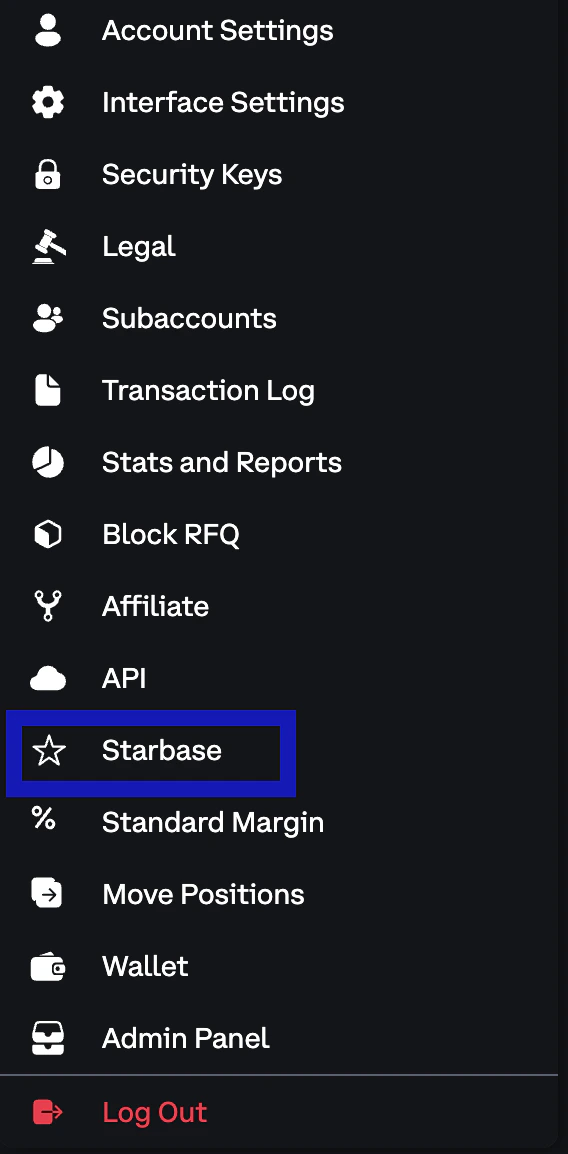
Head to the **Starbase** tab inside the top right Account Panel.
The Starbase section is separate from the standard **API** section. Make sure you are in the correct tab.
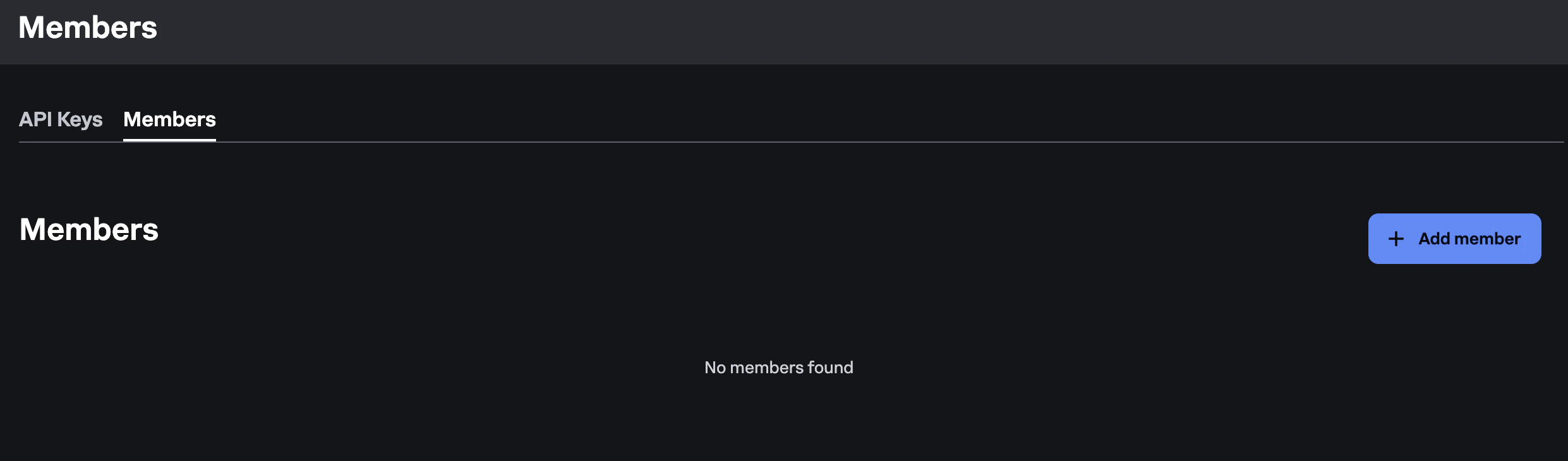
 Before you can create an API key, you must add a member. Click **Add Member** and fill in:
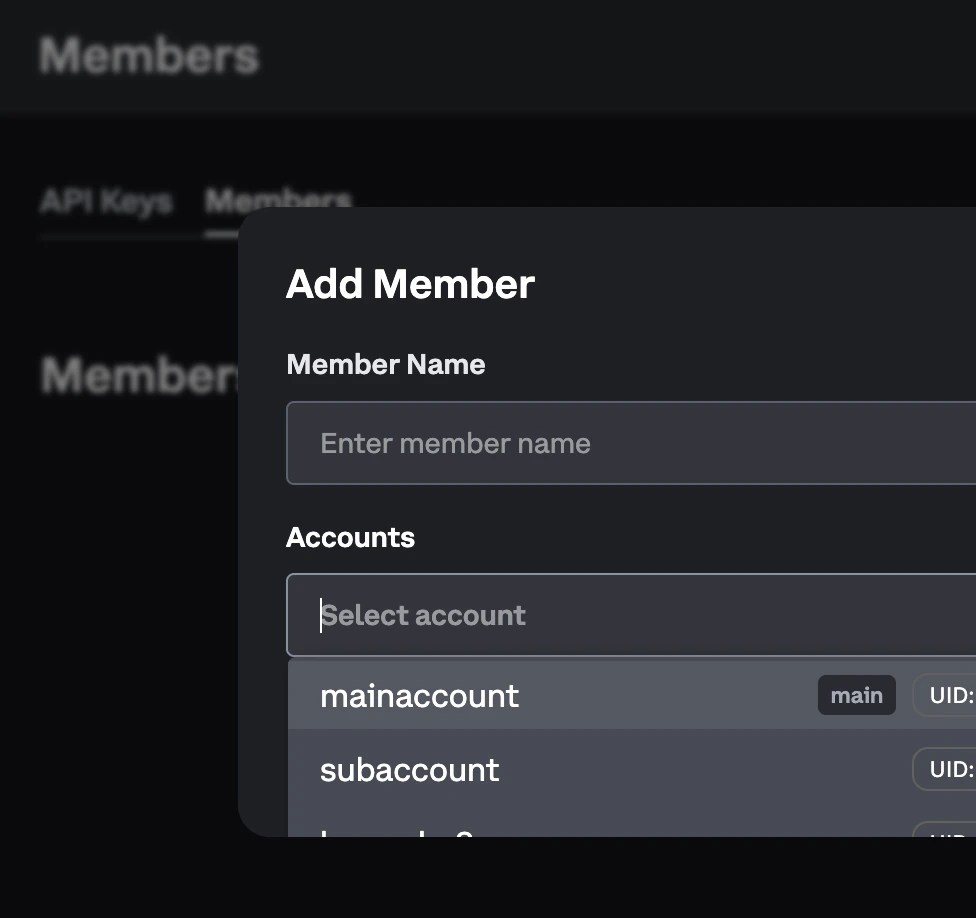
* **Member Name**: a label for this member (e.g. `New member`)
* **Accounts**: select which accounts (main account and/or subaccounts) this member should have access to
Before you can create an API key, you must add a member. Click **Add Member** and fill in:
* **Member Name**: a label for this member (e.g. `New member`)
* **Accounts**: select which accounts (main account and/or subaccounts) this member should have access to
 Click **Add Member** to open the dialog:
 Once saved, the member will appear in the Starbase member list.
A Member is a Starbase-specific concept that groups one or more portfolios (accounts/subaccounts) into a single trading participant. See [Account Model](/starbase/account-model) for a full explanation.
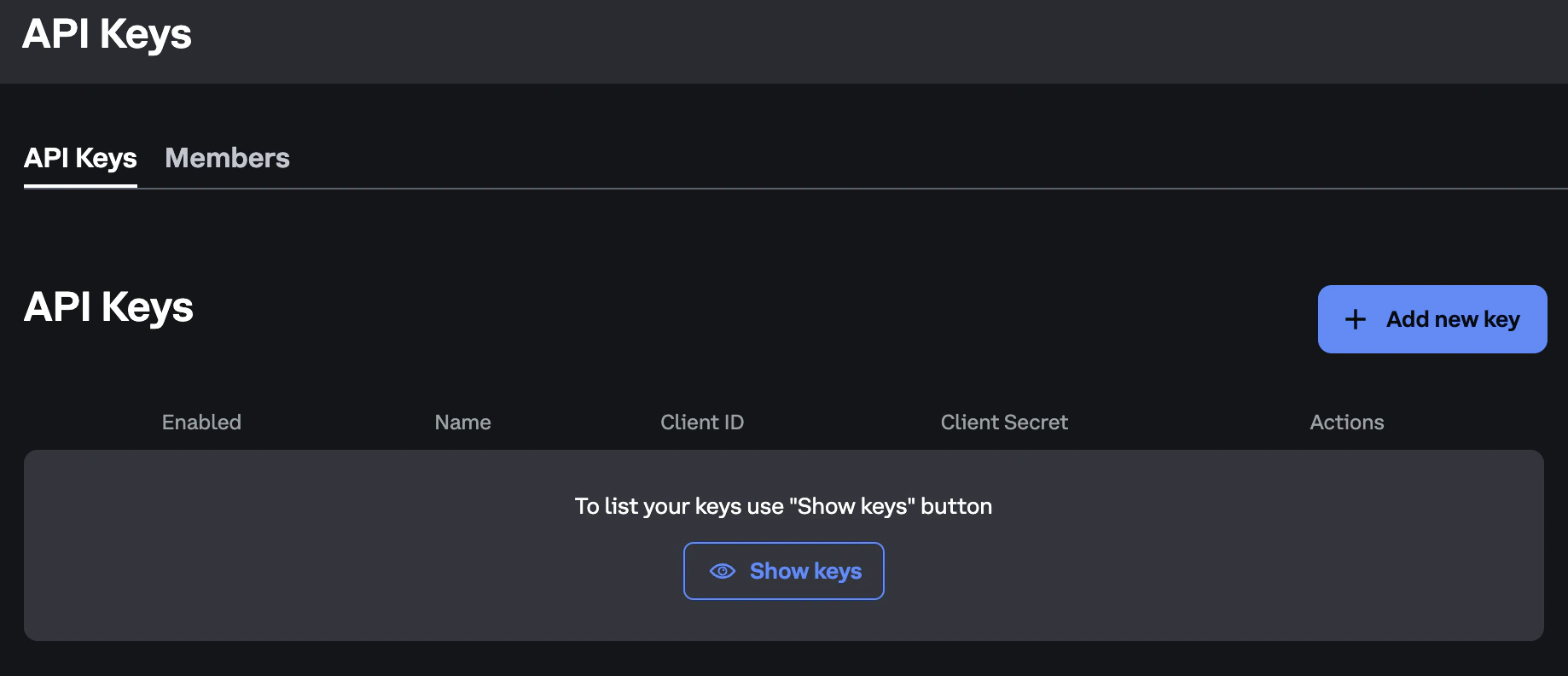
With a member selected, press **Add new key** to open the key creation dialog.
Provide an optional **Name** for the key, then select one or more scopes from the following:
| Scope | Description |
| ------------------- | -------------------------------------------------------------------------------------------------------------------------- |
| **FIX Drop Copy** | Receive a consolidated drop copy of all activity on the portfolio via the [FIX Drop Copy API](/starbase/fix-drop-copy-api) |
| **SBE Order Entry** | Submit, amend, and cancel orders via the [Simple Binary Encoding (SBE) Order Entry API](/starbase/binary-api-reference) |
| **REST** | Access REST endpoints (portfolio management, cancel all, etc.) |
Multicast market data and the retransmit API are unauthenticated — no API key or scope is required to subscribe to them.
Once saved, the member will appear in the Starbase member list.
A Member is a Starbase-specific concept that groups one or more portfolios (accounts/subaccounts) into a single trading participant. See [Account Model](/starbase/account-model) for a full explanation.
With a member selected, press **Add new key** to open the key creation dialog.
Provide an optional **Name** for the key, then select one or more scopes from the following:
| Scope | Description |
| ------------------- | -------------------------------------------------------------------------------------------------------------------------- |
| **FIX Drop Copy** | Receive a consolidated drop copy of all activity on the portfolio via the [FIX Drop Copy API](/starbase/fix-drop-copy-api) |
| **SBE Order Entry** | Submit, amend, and cancel orders via the [Simple Binary Encoding (SBE) Order Entry API](/starbase/binary-api-reference) |
| **REST** | Access REST endpoints (portfolio management, cancel all, etc.) |
Multicast market data and the retransmit API are unauthenticated — no API key or scope is required to subscribe to them.
 Click **Create API Key** to generate the key.
Once created, you will receive a **Client ID** and **Client Secret**.
Click **Create API Key** to generate the key.
Once created, you will receive a **Client ID** and **Client Secret**.
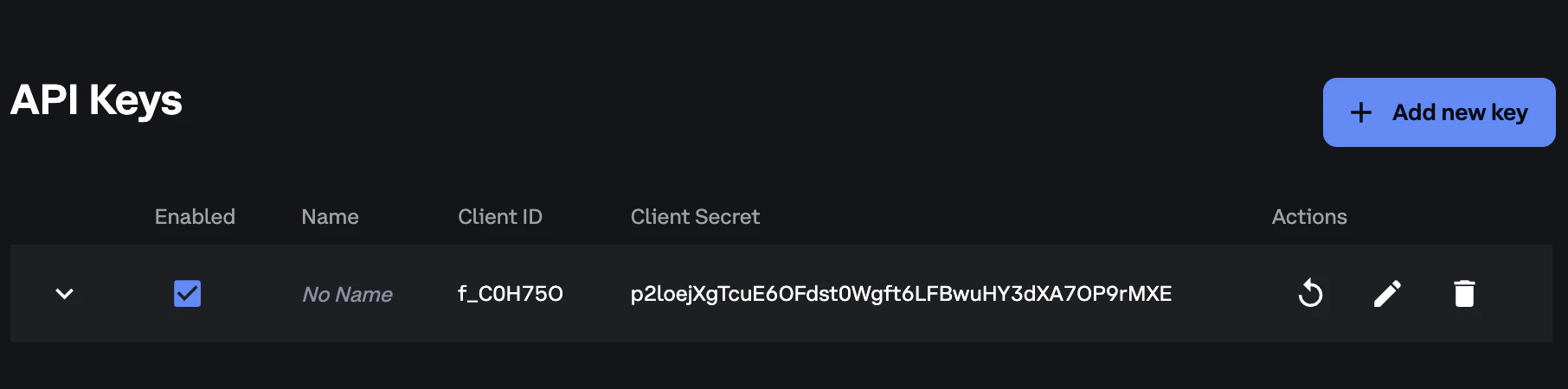 The Client Secret is only shown once when the key is created. Store it securely, as you cannot retrieve it later.
For a description of what these credentials are, see the [Client ID and Client Secret](/articles/creating-api-key#client-id) section of the Creating new API key guide.
## API key limits
Each subaccount can have up to **8 Starbase API keys**. Because each gateway connection requires its own API key, plan your key allocation based on the number of gateway connections you intend to maintain.
Starbase API keys use a separate counter from standard Deribit API keys. Starbase API keys do not count toward your standard API key quota, and standard API keys do not count toward your Starbase quota.
## Next steps
How API keys map to gateway connections and connection rules
SBE protocol structure, message headers, and data types
Submit your first order via the SBE Order Entry API
Consolidated drop copy of all portfolio activity
Logon, logout, and heartbeat session message flows
Automatic order cancellation on connection loss
The Client Secret is only shown once when the key is created. Store it securely, as you cannot retrieve it later.
For a description of what these credentials are, see the [Client ID and Client Secret](/articles/creating-api-key#client-id) section of the Creating new API key guide.
## API key limits
Each subaccount can have up to **8 Starbase API keys**. Because each gateway connection requires its own API key, plan your key allocation based on the number of gateway connections you intend to maintain.
Starbase API keys use a separate counter from standard Deribit API keys. Starbase API keys do not count toward your standard API key quota, and standard API keys do not count toward your Starbase quota.
## Next steps
How API keys map to gateway connections and connection rules
SBE protocol structure, message headers, and data types
Submit your first order via the SBE Order Entry API
Consolidated drop copy of all portfolio activity
Logon, logout, and heartbeat session message flows
Automatic order cancellation on connection loss